
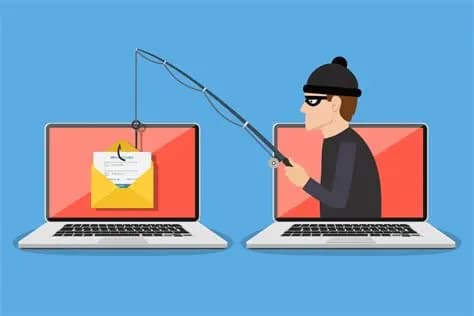
What is Phishing?
Common Types of Phishing Attacks
- Email Phishing: The most common type of phishing, where attackers send out mass emails to a large number of people, hoping that a small percentage will fall for the scam.
- Spear Phishing: A more targeted form of phishing where the attacker customizes their emails to a specific person or organization. This makes the email seem more credible and increases the chances of success.
- Whaling: A type of spear phishing that targets high-profile individuals, such as CEOs, CFOs, or other executives.
- Smishing: Phishing that is conducted through SMS text messages.
- Vishing: Phishing that is conducted over the phone, where the attacker tries to trick the victim into revealing sensitive information.
Real-World Impact
- Financial Loss: Attackers can use stolen credit card numbers or bank account details to make unauthorized purchases or transfer money.
- Identity Theft: Attackers can use stolen personal information to open new accounts, take out loans, or commit other fraudulent acts in the victim's name.
- Malware Infection: Phishing emails often contain malicious attachments or links that can infect a victim's computer with malware, such as ransomware or spyware.
- Corporate Espionage: In the case of spear phishing and whaling, attackers may be trying to gain access to a company's internal network to steal trade secrets or other confidential information.
How to Protect Yourself from Phishing
- Be Skeptical of Unsolicited Emails: If you receive an email from a sender you don't recognize, be wary. Don't click on any links or download any attachments unless you are sure the email is legitimate.
- Check for Red Flags: Look for spelling and grammar mistakes, generic greetings (e.g., "Dear Customer"), and a sense of urgency. These are all common signs of a phishing email.
- Hover Over Links: Before you click on a link, hover your mouse over it to see the actual URL. If the URL looks suspicious or doesn't match the link text, don't click on it.
- Use Multi-Factor Authentication (MFA): MFA adds an extra layer of security to your accounts by requiring you to provide a second form of verification, such as a code sent to your phone, in addition to your password.
- Keep Your Software Updated: Software updates often contain security patches that can protect you from known vulnerabilities.
What to Do If You Suspect a Phishing Attack
By being vigilant and following these best practices, you can significantly reduce your risk of falling victim to a phishing attack.